CampusOptics
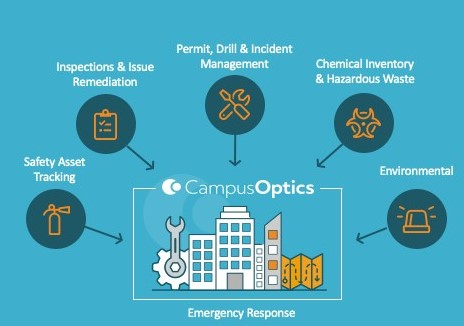
To streamline safety operations for the campus community, we are migrating our core tracking, inventory, and inspection programs to CampusOptics—a comprehensive platform designed specifically for higher education. This centralized tool replaces multiple legacy systems, providing faculty, staff, researchers, and facilities personnel with a single, customizable dashboard to manage institutional risk and enhance our shared safety culture.
Frequently Asked Questions (FAQs)
Anyone who interacts with EHS resources will use the platform. This includes Principal Investigators (PIs), laboratory managers, facilities and maintenance supervisors, and custodial staff.
CampusOptics access is assigned to faculty, researchers, and staff responsible for
spaces that house regulated materials—including hazardous chemicals, biological waste,
and specialized equipment (like lasers). Existing user profiles have been pre-populated;
however, should you encounter permission restrictions or require account activation,
please reach out to safety@tcu.edu for assistance.
Existing users may Login to CampusOptics with their TCU SSO.
It is really easy! We have created a basic user guide [insert link] for your convenience. Just Launch CampusOptics to get started and complete the Lab Membership Request Form.
No. To ensure critical safety information is always accessible, any member of the campus community can search our chemical database without logging in. You can view, download, and print safety data sheets at any time by visiting our SDS Portal.
Anyone on campus can request a chemical or biological waste pickup using our public
submission portal—no login or account is required. Simply Launch CampusOptics and complete the form. We have created basic user guides {[insert Biological link] & [insert Chemical link]} for additional guidance.
To comply with environmental regulations, please ensure all waste containers are properly
labeled, securely closed, and safe for transport before submitting your request.
For additional information, please visit our Waste/Environmental tab.
Resources & Training
We are committed to ensuring a smooth transition. Training is provided in a variety of formats to accommodate different schedules and learning preferences.
How to Submit a Biological Waste Request (in progress)
How to Submit a Chemical Waste Request (in progress)
How to Submit a Laboratory Incident Report (in progress)
How to Report a Safety Concern (in progress)
How to Request Membership to a Lab (in progress)
Contact
Have questions or need technical support? Contact EHS at:
Email: safety@tcu.edu
Telephone: 817-257-3687
Office: SWR 374